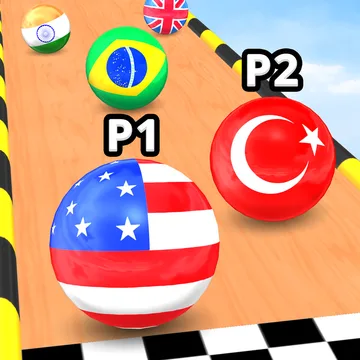
Marble Run 3D
A racing game where you steer a marble for your country down a track full of obstacles, against other marbles. It suits players who want a quick, easy-to-learn race.
Spec plate
- Genre
- Racing
- Made by
- OSA Studio
- Devices
- Desktop, phone and tablet (per Poki)
- Keys
- A and D or the left and right arrows; or move the cursor or your finger
- Session
- Race by race, with a challenge mode for practice
- Account
- No Poki account needed to open it
- Good for
- Suitable for most ages; no violence
- Updated
- Nov 2025 (per Poki)
How a session goes
In Marble Run 3D you pick the marble of your country and race against other marbles to the finish. The track has obstacles, and Poki notes that you can knock rival marbles off it, so the race is as much about not falling as about being quick.
Steering is on one axis. You can use A and D or the left and right arrows, or you can move the cursor or your finger across the screen. Because the control is so simple, the skill is in timing: when to move and when to hold your line.
There is also a challenge mode for practice. If a track keeps beating you, that is the place to learn it without the pressure of a full race.
A race is short. You start with your country's marble, steer along the track and try to reach the finish ahead of the others. Obstacles are the real opponent in the early runs: learn where they are and how wide they are before you try to pass anyone.
Knocking rivals off the track is part of the design, which means the standings can change late. That keeps races lively, and it also means one bad bump is not the end of the round. When the same obstacle keeps ending your runs, go to challenge mode, learn it, and return to the race.
Keys and fingers
- A / D or left / right arrowsSteer the marble
- Cursor or fingerSteer by moving across the screen
Tips for the first runs
- Use the challenge mode to learn a hard obstacle before racing it.
- Small corrections beat big ones. Overcorrecting is how marbles go off the edge.
- Do not chase the leader at any cost; staying on the track matters more than a single place.
- Try both keyboard and pointer steering and keep the one that feels steadier.
- Watch what rivals do near obstacles; knocking marbles off works in both directions.
Made for these players
Players who want a simple race with one control, short rounds and a bit of bumping, on desktop or on a phone. The game is also forgiving to players who only have a few minutes, since a race does not take long.
Honest downsides
- The control is simple, so the game may feel repetitive for players who want more depth.
- Results can swing because rivals can knock you off the track.
- Poki shows ads around its games, and the game opens on Poki's page.
- It was last updated in November 2025 according to Poki.
Parked next door
 Vortelli's Pizza Delivery
Another racing game, with a car and a destination.
 Blast Buddies
Another game where you play against other players.
Opening the game
The game opens on poki.com, a separate site. It is run by Poki and its developer, not by Umrekgavrozen.
Open Marble Run 3D on Poki → (opens poki.com in a new tab)FAQ
Is Marble Run 3D free?
Yes. It is free to open on Poki, with nothing to download.
How do I steer?
With A and D or the left and right arrows, or by moving the cursor or your finger.
Can I practise?
Poki lists a challenge mode for practice.
Can I play on a phone?
Poki lists it for desktop, phone and tablet, and finger steering is supported.
Can I pick my country?
Poki says you choose your country's marble before the race.